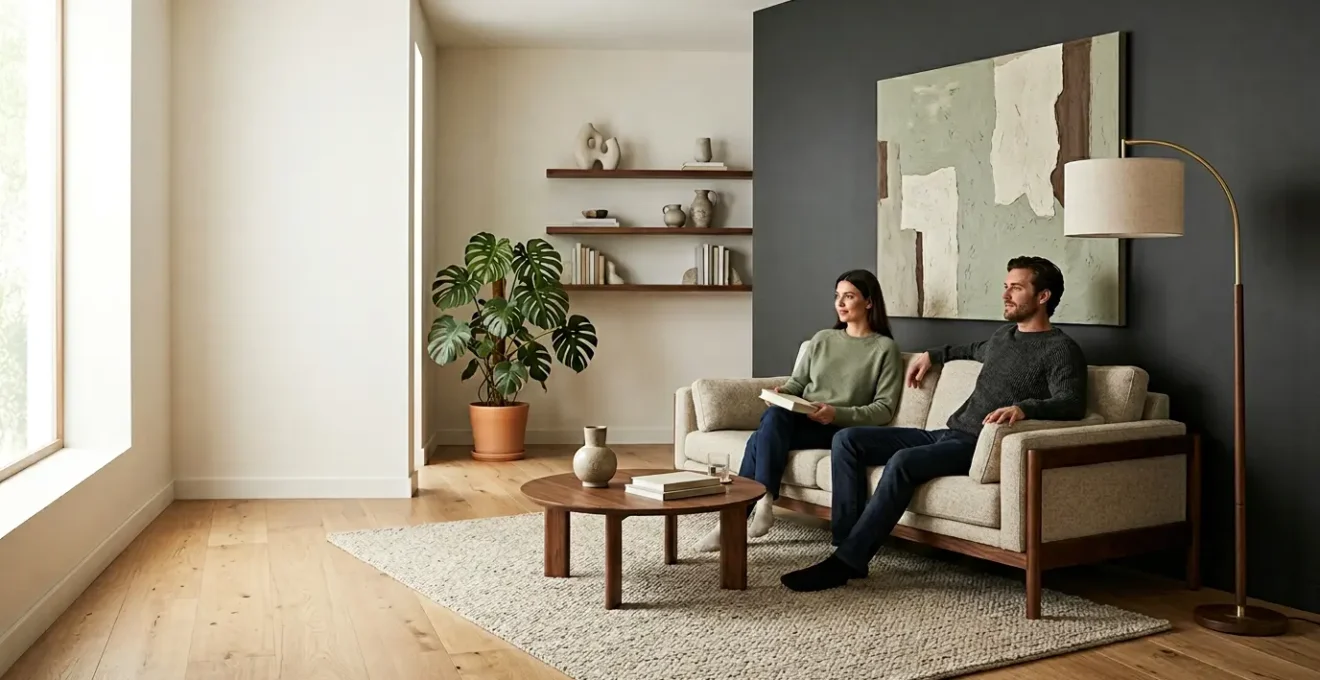
The belief that a stylish living room and an ergonomic, pain-free body are mutually exclusive is a design fallacy.
- Your deep, “comfy” sofa is likely the primary source of chronic hip and back pain due to forcing a posterior pelvic tilt.
- True ergonomics relies on promoting movement (dynamic seating) and adapting furniture to your body’s specific dimensions, not just adding office equipment.
Recommendation: Instead of buying ‘ergonomic’ furniture, learn to analyze your existing pieces through a biomechanical lens to make targeted, stylish adjustments that support your spine’s natural alignment.
You’ve invested in a beautiful living room. The deep, plush sofa invites you to sink in, the low coffee table is perfectly centered, and the ambient lighting creates an atmosphere of pure relaxation. Yet, after a few hours of working from home or even just watching a movie, a familiar, dull ache begins to radiate from your lower back, and your hips feel tight. For many remote workers who value aesthetics, this is a daily paradox: the very space designed for comfort is a source of chronic pain. The conventional solution—littering your curated interior with clunky, orthopedic office chairs and plastic standing desk converters—is a non-starter. It feels like a choice between living in a showroom or an infirmary.
This approach fundamentally misunderstands the problem. The goal isn’t to shoehorn a clinical workspace into your living area. It’s to elevate the entire room’s design intelligence. What if the key wasn’t about adding more, but about understanding the biomechanics of what you already own? The secret to a truly ergonomic and stylish living room lies not in compromising on beauty, but in applying core principles of anatomy and physiology to your design choices. It’s about understanding concepts like posterior pelvic tilt, spinal load migration, and anthropometric mismatches to make your space work for your body, not against it.
This guide will deconstruct the ergonomic failures hidden within stylish furniture and provide actionable, design-forward solutions. We will explore why your sofa may be your spine’s worst enemy, how to seamlessly conceal a high-performance workstation, and how the right lighting and layout can prevent physical strain. By the end, you will have a new framework for viewing your living room—not as a static display, but as a dynamic environment engineered for both beauty and well-being.
To navigate this fusion of style and science, this article breaks down the core principles you need to master. The following sections will guide you through each critical aspect, from analyzing your seating to optimizing the very flow of your space.
Summary: A Guide to Ergonomic and Stylish Living Spaces
- Why Does Your “Comfy” Deep Sofa Cause Chronic Hip Pain?
- How to Hide a Fully Ergonomic Workstation in a Shared Living Space?
- Static vs Dynamic Seating: Which Prevents Stiffness After 8 Hours?
- The Lighting Angle Mistake That Causes Daily Migraines
- Standard vs Custom Height: When to Modify Counters to Save Your Back?
- Symmetry vs Asymmetry: Which Layout Promotes Better Focus?
- How to Choose Cushions That Stop Rattan from Digging Into Your Back?
- How to Optimize Home Interiors for Open Flow in Small Spaces?
Why Does Your “Comfy” Deep Sofa Cause Chronic Hip Pain?
The allure of a deep, sink-in sofa is undeniable; it promises ultimate comfort and relaxation. However, from an orthopedic standpoint, this “comfort” is often a trap. The primary issue lies in a phenomenon called posterior pelvic tilt. When a seat is too deep for your thigh length, you have two choices: either perch on the edge without back support or slide back until your spine is supported. Most people slide back, causing their pelvis to tuck under. This flattens the natural, healthy curve (lordosis) of your lower back, placing continuous strain on your lumbar discs, hip flexors, and surrounding ligaments. What feels like relaxation is, in fact, a prolonged, low-grade stretch that leads to stiffness and chronic pain.
This problem is exacerbated by the very nature of soft cushioning. As a leading expert in spine biomechanics, Professor Stuart McGill, explains, overly soft furniture lacks the foundational support needed for a healthy posture.
A sofa or similar sitting chair is not an option for many people. They are far too soft and lack sufficient support to allow the stress migrations and distributions critical to achieve comfort and injury resilience.
– Prof. Stuart McGill, The Science of Stress: How to Reduce Back Pain While Sitting
The core issue is the anthropometric mismatch between your body and the furniture. Sofas are typically designed for an “average” person, but if your femur length doesn’t match the seat depth, your body is forced into a compromised position. As ergonomic seating research demonstrates, this mismatch inevitably leads to slouching, which pulls the user into that harmful pelvic tilt. The ideal seat depth allows you to sit with your back against the cushions while maintaining a two-to-three-finger gap between the back of your knees and the seat’s edge. Without this, your “comfy” sofa becomes an engine for dysfunction.
How to Hide a Fully Ergonomic Workstation in a Shared Living Space?
The modern necessity of a home office should not dictate the aesthetic of your living room. The key to integrating a workspace is not camouflage, but elegant concealment. Instead of a dedicated desk that constantly signals “work,” opt for multifunctional furniture that transforms on demand. A stylish credenza, a media console, or even a small armoire can house a complete ergonomic setup, allowing you to close the doors and reclaim your living space’s tranquility at the end of the day. This approach preserves the room’s primary function—relaxation and socializing—while providing a fully functional and hidden workstation when needed.
The beauty of this strategy lies in the details. A well-designed piece of “transformer furniture” will feature integrated cable management, ventilation for electronics, and sturdy surfaces that can support a monitor arm. This allows for a proper ergonomic arrangement—screen at eye level, keyboard at elbow height—without the visual clutter. This concept of a ‘hidden transformation’ is about creating a space with dual-personality, where function and form coexist without compromise.
As the illustration demonstrates, a sophisticated credenza can be an aesthetic centerpiece while secretly containing a high-performance workspace. To achieve this seamless integration, consider the following strategies:
- Use visual cues over physical dividers: A well-placed area rug can define the living area, creating a psychological separation from the workspace without a physical barrier.
- Apply the “floating furniture” strategy: Pulling a slim sofa a few inches away from the wall allows a narrow console table to be placed behind it, serving as a discreet work surface.
- Implement vertical storage: Tall, slender shelving units or cabinets can store work materials without consuming valuable floor space, keeping the area clean and uncluttered.
- Choose multi-functional pieces: Ottomans with hidden storage, coffee tables that lift to desk height, and modular seating are all excellent choices for maximizing utility in a stylish manner.
Static vs Dynamic Seating: Which Prevents Stiffness After 8 Hours?
The human body is not designed for prolonged stillness. When you sit in a rigid, static position for hours, your muscles are held in a fixed state of contraction or extension. This restricts blood flow, leads to the buildup of metabolic waste in tissues, and ultimately causes the familiar stiffness and soreness associated with a long workday. This is the fundamental flaw of static seating—it treats the body like an inanimate object. The solution is to embrace dynamic seating, a concept centered on encouraging constant, subtle micro-movements.
Dynamic seating isn’t about actively exercising at your desk; it’s about using a chair that facilitates small shifts in posture, tilts, and rotations. This allows for what Dr. Stuart McGill calls “stress migration”—the process of moving physical loads from one tissue to another before any single area accumulates micro-trauma. A chair with a flexible backrest, a pivoting seat pan, or even a subtle rocking mechanism keeps your core muscles engaged and promotes circulation. This continuous, low-level activity is crucial for preventing the muscular atrophy and spinal disc compression that come from being locked in one posture.
Scientific evidence supports this approach. For instance, research on static versus dynamic sitting postures shows that using a surface that encourages movement, like an exercise ball, results in 33% more trunk motion and a 66% greater variation in lumbar muscle activity compared to a standard office chair. While a stability ball may not fit your living room’s aesthetic, the principle holds true for high-end ergonomic chairs designed with dynamic capabilities. The goal is to choose seating that moves with you, preventing your body from becoming stiff and stagnant over an 8-hour period.
The Lighting Angle Mistake That Causes Daily Migraines
Ergonomics extends beyond physical posture into the realm of visual comfort. The wrong lighting setup is a common but overlooked trigger for eye strain, tension headaches, and even full-blown migraines. The most frequent mistake is relying on a single, overhead ambient light source. This often creates glare on your screen and casts shadows, forcing your eyes to work harder to focus. A successful lighting scheme for a multi-use living room requires a layered approach: ambient (overall illumination), task (focused light for work), and accent (for aesthetics). For your workspace, task lighting is non-negotiable, but its angle and color temperature are critical.
Light directly impacts our physiology. As Dr. Rami Burstein, a professor of neurology at Harvard Medical School, found in his research, different colors of light trigger different responses in the brain.
Blue and red lights generated the largest signals in both the retina and the cortex and green light generated the smallest signals. At high intensity of light, nearly 80 percent of patients reported intensification of headache with exposure to all colors but green.
– Dr. Rami Burstein, Harvard Medical School Study on Light and Migraine
This finding is profound. Further Harvard Medical School research found that exposure to a narrow band of pure green light can reduce migraine pain by approximately 20 percent. While bathing your entire living room in green may be aesthetically challenging, the takeaway is to avoid the most aggressive wavelengths. Specifically, blue light is a known culprit. In fact, studies on color temperature and circadian disruption indicate that cool-toned light above 4000K, which is rich in blue wavelengths, can suppress melatonin production and act as a migraine trigger. For your task lamp, choose a bulb with a warm-to-neutral temperature (2700K-3500K) and position it to the side of your screen, angled down onto your documents, not your face or the monitor, to eliminate glare.
Standard vs Custom Height: When to Modify Counters to Save Your Back?
The furniture industry operates on standards. From sofas to dining tables, most pieces are built to accommodate the “average” person. According to ergonomic design standards specified by BIFMA, this typically covers the 5th to the 95th percentile of the population. However, if you fall outside this range—or even if you’re within it but have unique body proportions—standard-height furniture can force you into postures that cause chronic back, neck, and shoulder pain. This is especially true for surfaces used for work or dining, such as console tables, counters, or desks. A surface that is too low forces you to hunch, causing thoracic and lumbar strain, while one that is too high forces you to shrug your shoulders, creating tension in your trapezius muscles.
The gold standard for determining correct surface height is the 90-degree elbow rule. When sitting or standing, your forearms should be parallel to the floor with your elbows bent at approximately a 90-degree angle. This is the position of least muscular effort. If your console table-turned-desk requires you to deviate significantly from this posture, it’s time to consider modification. For those who are taller or shorter than average, this adjustment is not a luxury; it’s a medical necessity for preventing cumulative strain injuries over time.
As the illustration shows, the relationship between your elbow and the work surface is the cornerstone of upper-body ergonomics. Modification doesn’t have to mean a complete overhaul. Simple, stylish solutions exist:
Case Study: Anthropometric Customization for Height
Research on dining ergonomics reveals that the standard 30-inch table height is optimized for the average user. However, for tall individuals or families, raising this height to 31-32 inches (paired with taller chairs) can dramatically improve comfort and prevent slouching. Conversely, petite users find that a 28-29 inch table provides far better alignment. This study highlights a critical ergonomic truth: consistent meals in a slouched or uncomfortable position strain the neck, shoulders, and lower back, accumulating into genuine pain over months and years. Customizing the height of frequently used surfaces provides daily relief and is a powerful long-term strategy for health.
For a console or desk, this could mean adding elegant legs to raise the height or, for a more integrated solution, opting for an adjustable-height base that can be fitted to a custom tabletop of your choice—like marble, reclaimed wood, or solid surface—to match your living room’s decor.
Symmetry vs Asymmetry: Which Layout Promotes Better Focus?
The arrangement of furniture in a room does more than define its aesthetic; it directs movement, influences mood, and impacts cognitive function. The debate between symmetrical and asymmetrical layouts is a classic one in interior design, but when viewed through an ergonomic lens, the choice has clear implications for focus and comfort. A symmetrical layout, where elements are mirrored along a central axis (e.g., two sofas facing each other), creates a sense of formal balance, order, and tranquility. This predictability can be calming and is often ideal for spaces dedicated to conversation and social interaction. It minimizes visual “noise,” allowing the brain to relax.
However, for a multi-purpose living room that includes a workspace, a strictly symmetrical layout can feel rigid and confining. An asymmetrical layout, by contrast, creates balance through visual weight rather than mirroring. For example, a large sofa on one side can be balanced by two smaller armchairs and a floor lamp on the other. This approach offers more dynamism, visual interest, and, most importantly, flexibility. It allows for the creation of distinct “zones” within a single room—a cozy reading nook, a conversation area, and a focused workspace—without erecting physical barriers. This zoning helps to psychologically prime you for the task at hand, promoting better focus by signaling to your brain which activity belongs in which space.
Ultimately, the most ergonomic layout is one that feels personal and supports your daily habits. As design research notes, modern furniture placement should be a reflection of a family’s lifestyle, arranging pieces to create “ultimate comfort for everyone.” The key is to balance aesthetic appeal with functional flow, ensuring there is enough space for comfortable movement. A general rule of thumb from ergonomic home design is to maintain a minimum of 50cm (20 inches) of clearance between furniture items to allow for smooth traffic and a sense of ease, preventing the body from having to twist or contort while navigating the space.
How to Choose Cushions That Stop Rattan from Digging Into Your Back?
Natural materials like rattan, cane, and wicker bring incredible texture and organic style to a living room, but their rigid structure can be unforgiving on the body. The solution seems simple: add a cushion. However, choosing the wrong cushion can be as bad as using none at all. A flimsy, low-density foam cushion will compress completely under your weight, offering zero protection from the hard frame digging into your back and the backs of your thighs. This creates high-pressure points that restrict blood flow and lead to discomfort and numbness, a condition known as compression-induced ischemia.
To make a rattan chair genuinely comfortable for extended periods, you need a cushion engineered with a dual-layer or multi-density foam system. This is the same principle used in high-end mattresses and ergonomic office chairs. The bottom layer should be a very firm, high-density foam that acts as a supportive base. Its job is to absorb your body weight and distribute it evenly, preventing you from “bottoming out” on the hard rattan frame. The top layer, by contrast, should be a softer, medium-density comfort layer. This layer conforms to the contours of your body, relieving pressure points without sacrificing the underlying support.
As this detailed view shows, the magic is in the layering. When selecting a cushion, look for specifications like “high-density core,” “dual-foam construction,” or an Indentation Load Deflection (ILD) rating. A higher ILD number (e.g., 35-50) indicates a firmer, more supportive foam suitable for the base, while a lower number (e.g., 20-30) is ideal for the comfort top layer. Furthermore, ensure the cushion is thick enough—at least 3-4 inches (8-10 cm)—to provide adequate buffering. By investing in a thoughtfully constructed cushion, you can enjoy the aesthetic appeal of natural materials without paying the physical price.
Key Takeaways
- Ergonomics is not an aesthetic but a science of fitting an environment to the user; it can be applied to any style.
- The root of most furniture-related pain is an “anthropometric mismatch”—a disparity between your body’s dimensions and the furniture’s standard sizing.
- Promoting movement through dynamic seating and varied postures is more beneficial for spinal health than holding a single “perfect” static posture.
How to Optimize Home Interiors for Open Flow in Small Spaces?
In any living space, but especially in smaller ones, the way you move through the room—the “flow”—is a critical component of its ergonomic success. A cluttered or poorly planned layout forces you to constantly twist, side-step, and navigate obstacles. This creates a low-level cognitive load and physical friction that, over time, contributes to a sense of being cramped and stressed. Optimizing for an open flow is about creating clear, intuitive, and sufficiently wide pathways for movement. This reduces physical and mental effort, making the space feel larger, calmer, and more comfortable to inhabit.
According to ergonomic design guidelines, major traffic paths—for example, from the entryway to the sofa or from the sofa to the kitchen—should have a minimum width of 30-36 inches (75-90 cm). This allows for natural, unhindered movement without turning sideways. To achieve this, you must be intentional about furniture placement. Instead of pushing all furniture against the walls, which can sometimes create awkward, narrow channels, experiment with “floating” key pieces like armchairs or even the sofa to direct traffic around a central conversation area rather than through it. Using furniture with soft, rounded corners in tight spots can also improve flow by making navigation psychologically and physically smoother.
A powerful strategy for enhancing flow is to think in terms of clear “zones” for different activities. This doesn’t require walls, but can be achieved with visual cues like area rugs, lighting, or the strategic placement of a console table. By defining these zones, you create logical destinations and paths between them, which naturally directs movement. An effective way to audit and improve your space’s flow is to follow a clear, actionable plan.
Action Plan: Auditing Your Home’s Ergonomic Flow
- Identify Movement Paths: List your top 3-5 most frequent routes (e.g., entryway to sofa, sofa to window) and make them as straight and wide as possible to eliminate the need for the body to twist or side-step.
- Assess Furniture Edges: Inventory your furniture in high-traffic areas. Choose pieces with soft, rounded corners (coffee tables, console ends) for tight spaces to make movement more fluid and psychologically comfortable.
- Audit Vertical Space: Evaluate your use of verticality. Use floating furniture on legs to allow the eye to see the floor continue underneath, which reduces visual clutter and cognitive load.
- Analyze Zone Boundaries: Check if your area rugs create clear ‘zones’ for specific activities. This creates psychological boundaries that direct flow around a seating area rather than through it.
- Review Accessibility Standards: As a final check, consider the BIFMA G1-2013 Ergonomics Guideline principle: design for the 5th to 95th percentile to ensure the space remains accessible and comfortable for everyone, including guests.